A closer look at the app
PackNinja does the remembering: what the weather calls for, how many shirts a week needs, which plug fits the wall, and what you forgot last time.
AI suggestions that explain themselves
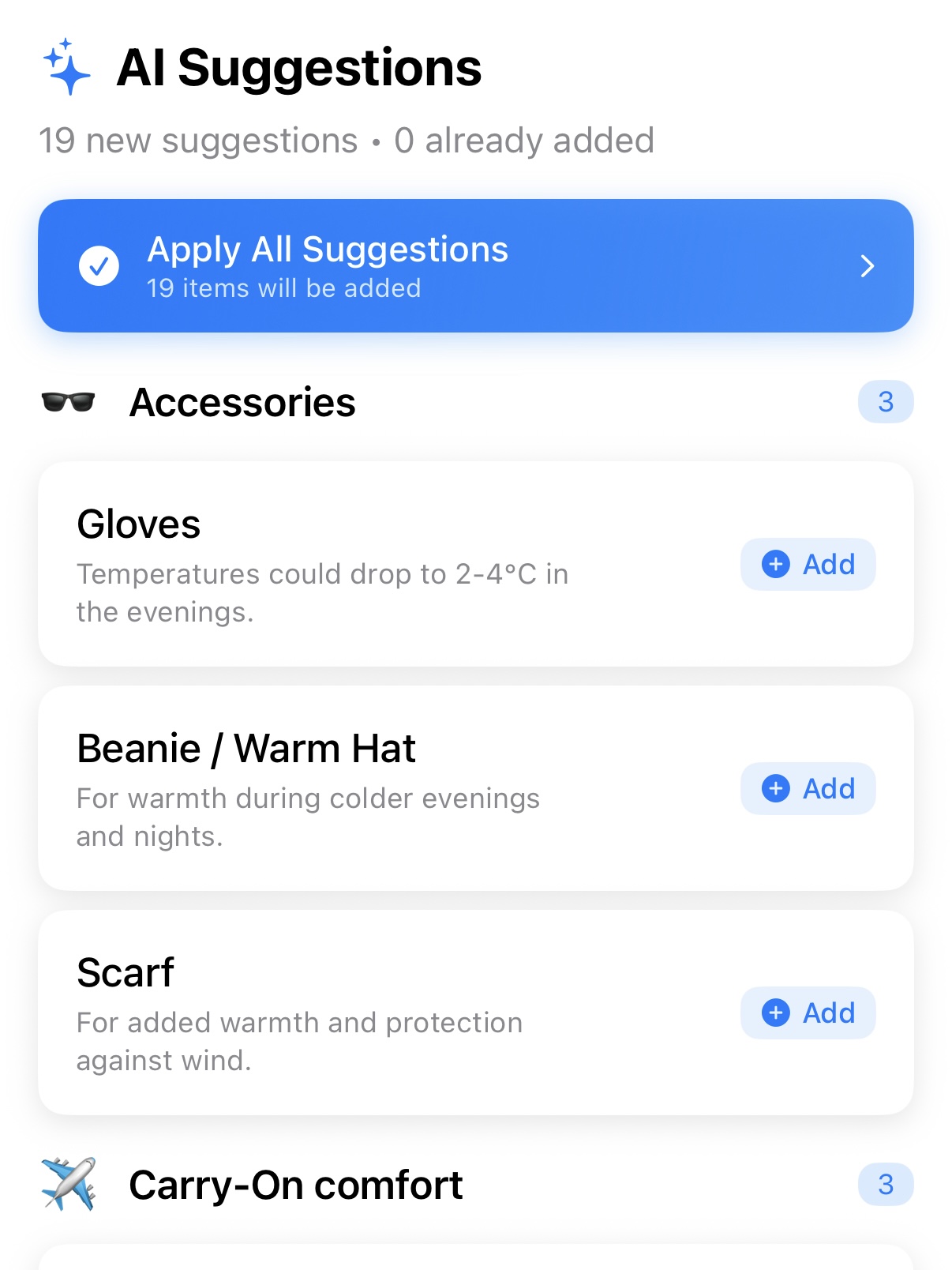
Ask for suggestions and PackNinja looks at the destination, dates and forecast, then proposes items you haven't packed yet, grouped by category.
- Each suggestion says why it's there, like gloves because evenings drop to 2°C.
- Items already on your list are skipped.
- Add them one at a time, or all at once.
- Free accounts get 10 requests a month; Pro is unlimited.
Forecasts on every trip
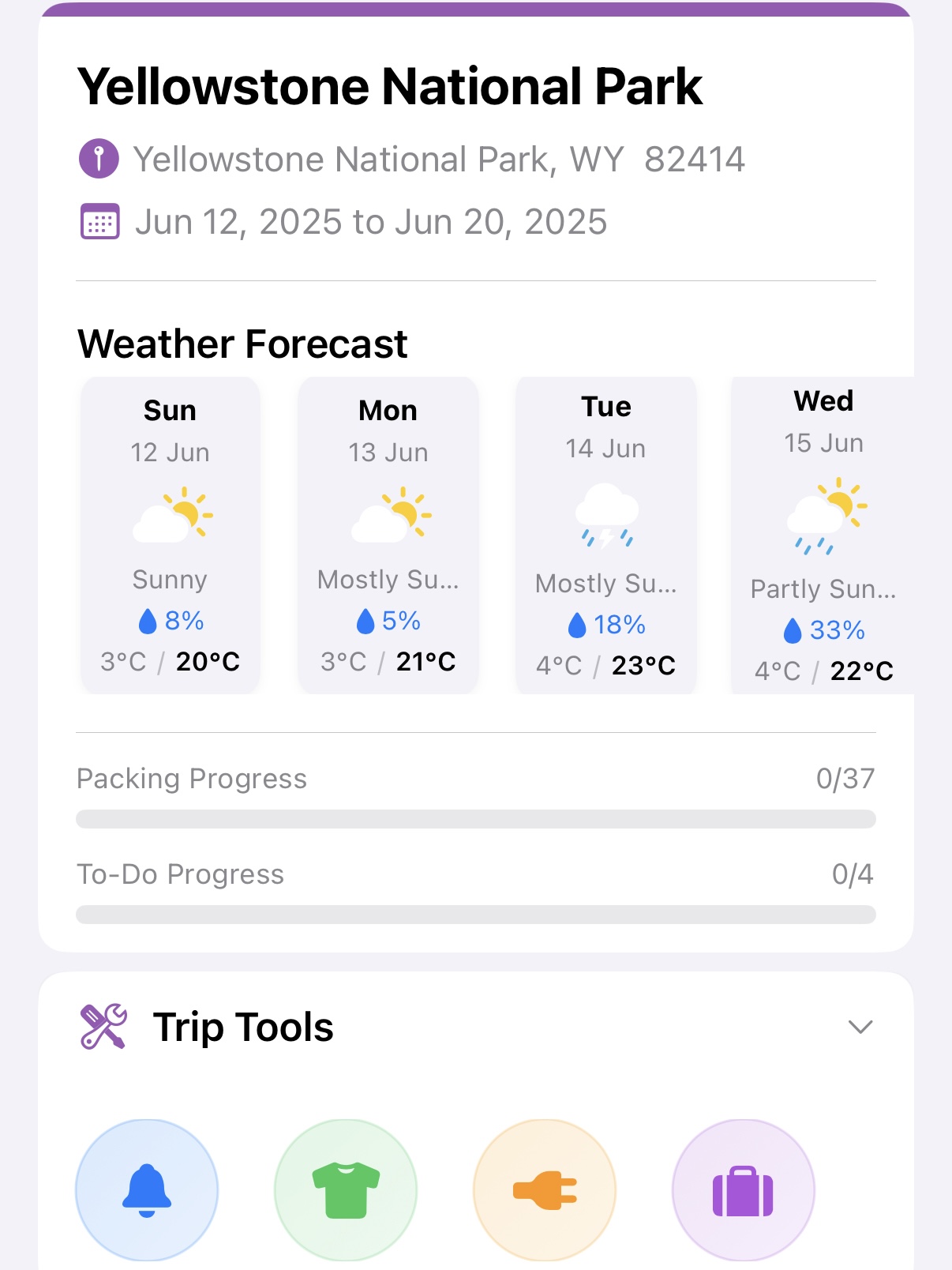
Each destination gets a daily forecast with highs, lows and chance of rain, using national weather services where available.
- One forecast per stop on multi-destination trips.
- Pro adds an AI summary of what the weather means for your packing.
- Trips months away get a seasonal outlook instead (Pro).
Templates you build once
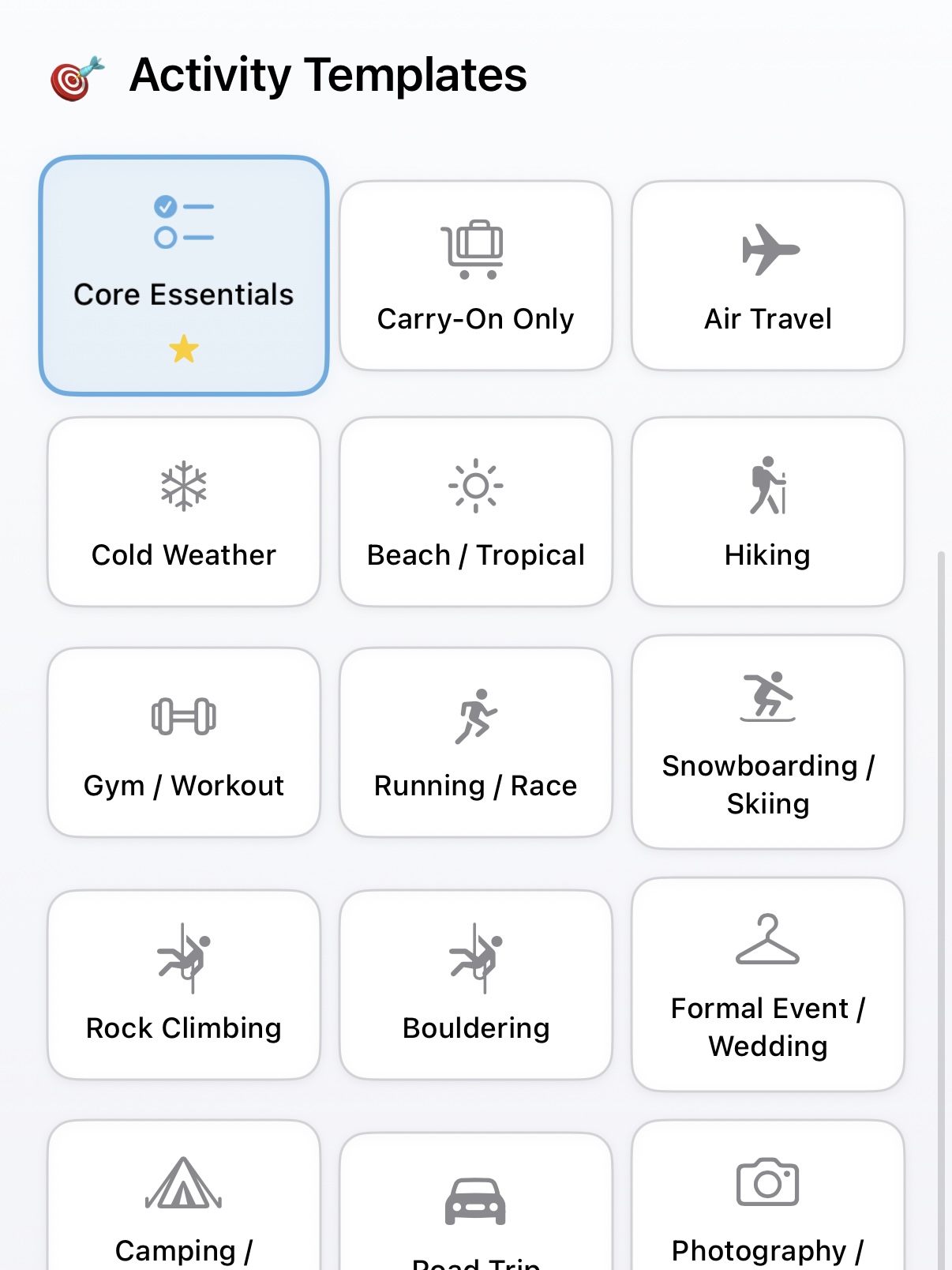
Start from 22 built-in templates, from Carry-On Only to Snowboarding, and apply as many as a trip needs.
- Save any trip's list as your own template (Pro).
- Edit, hide or rename the built-in items to match how you pack.
- Organize items into your own categories.
Laundry rules do the counting
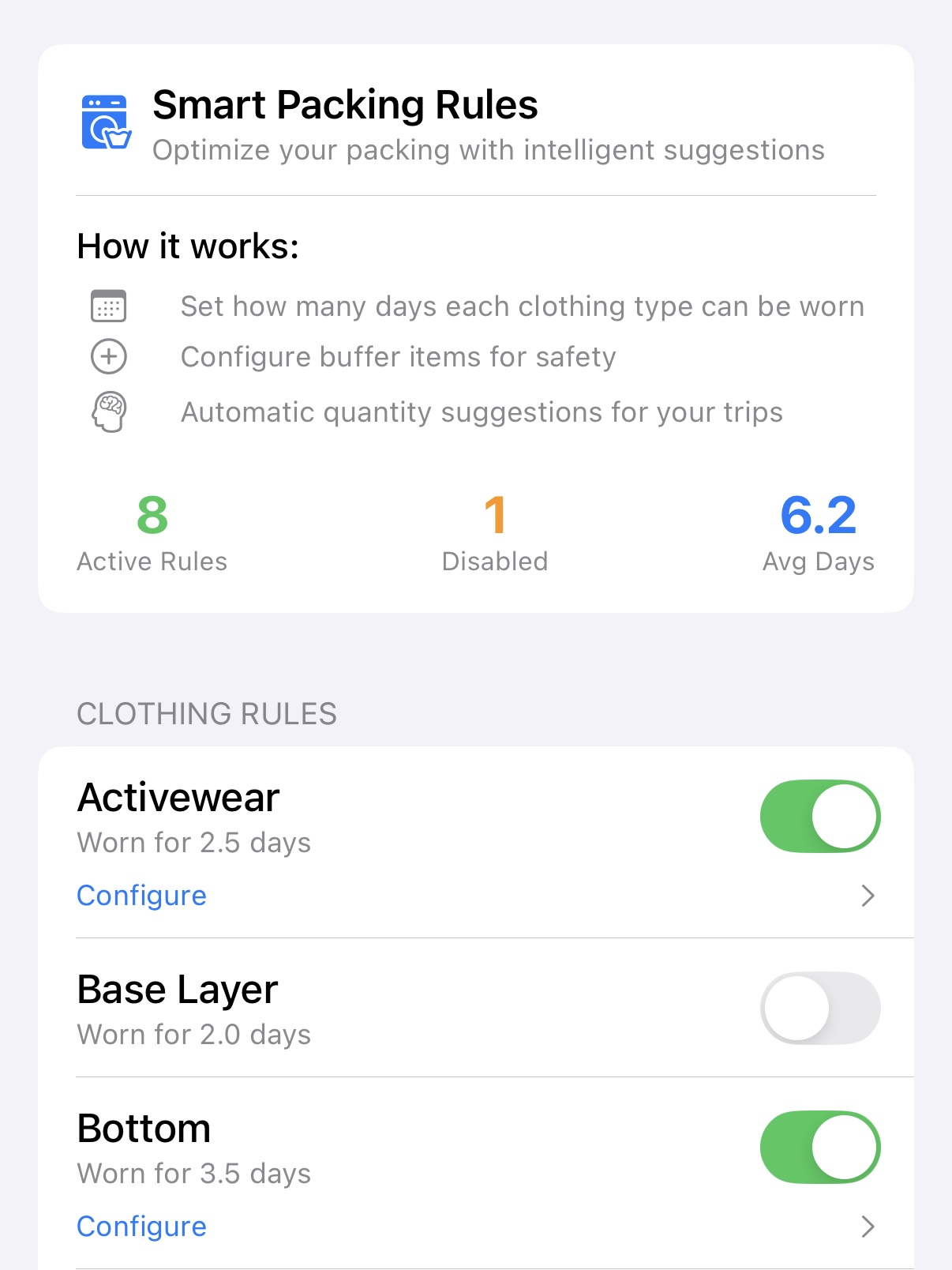
Tell PackNinja how many days you wear each type of clothing and it suggests quantities for the length of the trip.
- Set wear days per clothing type, like 2.5 days for activewear.
- Add buffer items so you're never one sock short.
- Turn rules on or off as your trips change. Custom rules are a Pro feature.
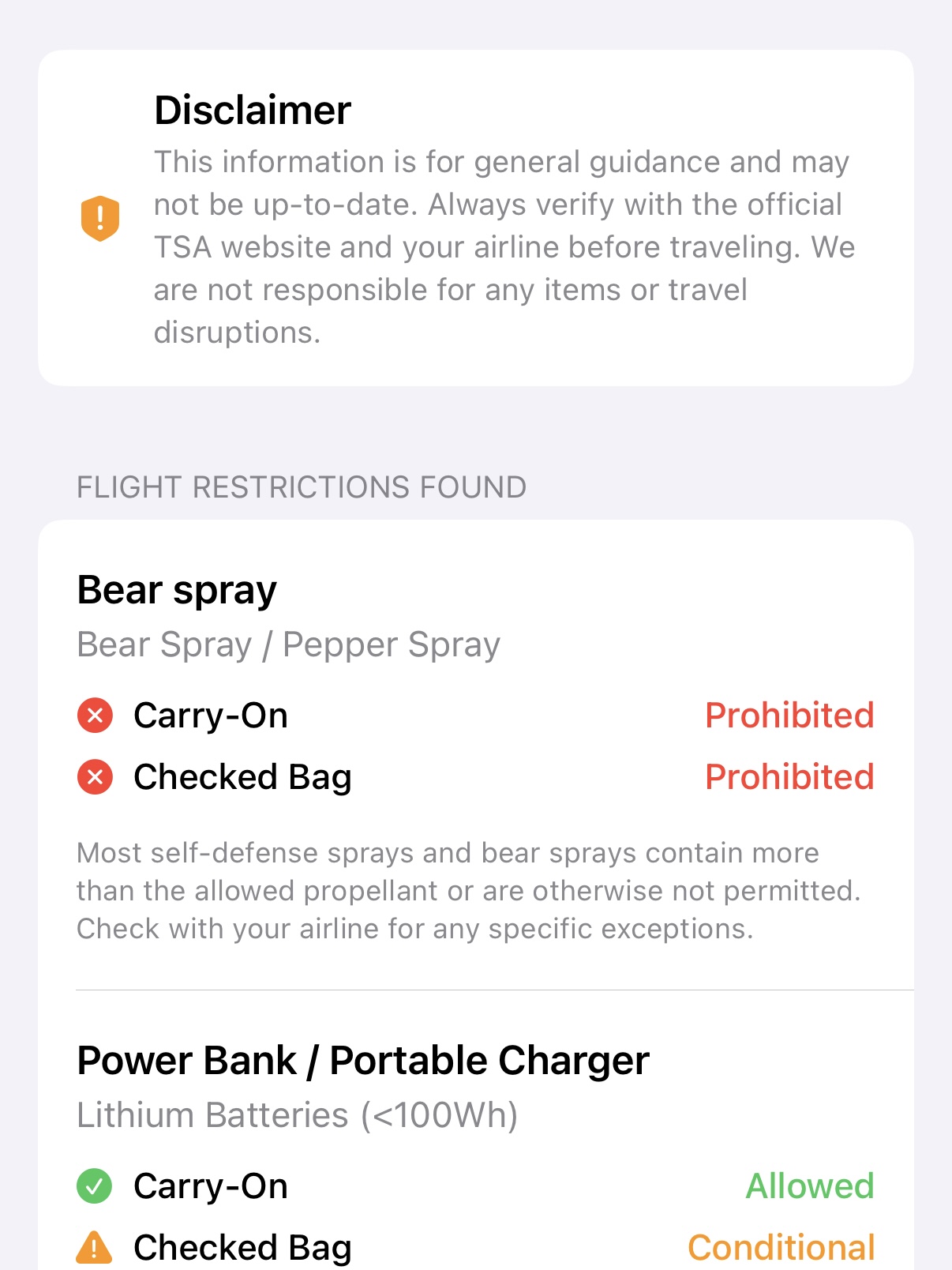
Know what can fly
The luggage check scans your list for items with flight rules and tells you whether each can go in a carry-on or a checked bag.
- Covers batteries, power banks, liquids, sprays and more.
- A short explanation for every rule.
- General guidance only; always confirm with TSA and your airline.
And the rest
- Plug adapters
- See which adapter type you need for each destination, based on where you live.
- Missed items
- Note what you wished you'd packed during the trip, then add it to a template so it's there next time.
- To-dos and things to buy
- Keep pre-trip tasks and a shopping list on the same trip as your packing list.
- Packing reminders
- Get a notification to start packing, timed to your departure date.
- Trip covers
- Generate a cover image for each trip, or use one of your own photos.
- Sharing
- Choose what to include, then send a link that opens the list in PackNinja on your companion's iPhone.
- iCloud sync
- Trips, templates and settings sync across your iPhone and iPad through your own iCloud account.
- Backups
- Export all your data to a file and import it again on any device.
- Five languages
- English, Japanese, Korean, Simplified Chinese and Traditional Chinese, including the built-in items.
Questions
Something else? Get in touch.
Is PackNinja on Android?
Not yet. PackNinja is for iPhone and iPad running iOS 18 or later.
Do I need an account?
No. Your lists are stored on your device. If you're signed in to iCloud, you can turn on iCloud sync to keep your devices in step.
Does it work offline?
Yes. Your trips, lists and templates are all on your device. AI suggestions, AI covers and weather updates need a connection.
How do AI suggestions work?
PackNinja sends the trip's destination, dates, forecast and current list to a language model (Google Gemini) through our server, then shows you the items it suggests and why. Nothing is added until you choose.
How many AI covers can I make?
Free accounts can generate 3 AI trip covers a month and Pro accounts 60. The count resets each calendar month. Using your own photo doesn't count.
Who can see a list I share?
Only people you send the link to. You choose what to include (packing items, to-dos, notes, location), and the link opens a copy of the list in PackNinja.
I use PackNinja on two devices. What should I know?
Keep the app updated on both so they sync the same way. If you turn on iCloud sync, sign in to the same Apple Account on each device.
Which languages are supported?
English, Japanese, Korean, Simplified Chinese and Traditional Chinese. The app follows your device language, and you can choose the language of the built-in items in Settings.